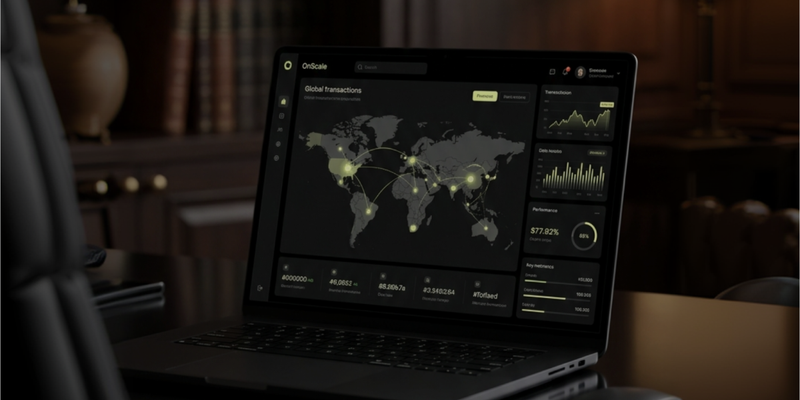
Connect your AI assistant to OnScale. It reads the repository you already have open, returns a legalization path and a USD estimate, and can send that brief to OnScale from the same chat.
This is an informational estimate based on the project brief. It does not constitute legal, tax or financial advice or an offer within the meaning of the Polish Civil Code. A full itemised quote is issued only after OnScale reviews the request.
MCP (Model Context Protocol) connects an AI assistant to a service outside the chat. With OnScale, you can ask about jurisdictions, licenses, and what a path might cost. The assistant reads your code locally. OnScale does not clone the repository.
OnScale MCP works with any client that speaks the protocol, including Claude, ChatGPT, Cursor, and Grok. The endpoint is https://onscale.org/api/mcp. Setup for each client is below. Clients that can only start a local process use the npm package @on-scale/mcp.
Features
- A legalization path from the project you have open: a recommended structure, two alternatives, license flags, and the next steps.
- An estimate in USD. Every figure is an estimate. The full itemised quote is prepared after OnScale reviews a confirmed request.
- A way to send the brief from the chat. OnScale emails you a confirmation link. The team is notified only after you confirm the address.
- A company draft on your OnScale account, once you sign in. The assistant opens the draft. You upload the passport and the other documents on the application page.
- The public catalogue from the terminal, for clients that speak MCP over stdio.
OnScale Skills are still in progress. A Skill will be a fixed workflow: read the repository, call the right tools, keep every price marked as an estimate, and hand the brief to OnScale. There is nothing to install yet.
Tools
No OnScale account is required to read the catalogue or analyze a project.
| Tool | What it does |
|---|---|
list_jurisdictions | Formation jurisdictions and indicative starting prices. |
get_jurisdiction | One jurisdiction: summary, timeline, and the KYC documents the platform will ask for. |
list_licenses | License paths OnScale scopes: crypto, payments, gaming, and a fintech holding. Gaming is priced after review. |
analyze_project | A legalization path from a short brief the assistant extracted from your repository. |
get_pricing | Indicative line items for one jurisdiction, in USD. |
estimate_quote | The same estimate, for a direct "what might this cost?" question. |
onscale_intake | A prompt. It tells the assistant to read the repository, call analyze_project, and offer to send the brief. |
Sending a brief needs your name, your email, and an explicit acceptance of the Terms of Service and the Privacy Policy. The server recomputes the estimate. It does not take a price from the assistant.
| Tool | What it does |
|---|---|
submit_request | Sends the brief. Returns a requestToken. Check your inbox and confirm the address. |
get_request_status | Checks that token. The result link stays hidden until the email is confirmed. This is not a full quote. |
Opening a company draft needs the account you already use on OnScale. You do not paste a token into the config. The first time the assistant calls one of these tools, the client opens a browser. Sign in, then choose Allow.
| Tool | What it does |
|---|---|
whoami | Confirms which OnScale account the assistant is using. |
start_application | Opens a draft for one jurisdiction. Returns the page where documents are uploaded. |
list_my_applications | Lists your drafts and that same page. |
These tools refuse file uploads. A passport, proof of address, or company document belongs on the application page, after you are signed in there.
Examples
Paste one of these after the connector is on.
Legalize the repository you have open
Read this repository. Use the onscale_intake prompt, call analyze_project, and explain how to legalize the project. Treat every price as an estimate.
The assistant should name what it saw in the code, such as a token, custody of user funds, payments, or a DAO, then give one recommended structure and two alternatives.
Ask what one path might cost
This repository issues a token and takes trading fees. I live in Poland and the first users are in the EU. Call get_pricing for BVI and for Delaware. Say clearly that both totals are estimates.
Send the brief
Send this to OnScale with submit_request. My name is Ada Lerner, my email is ada@example.com, and I accept the Terms of Service and the Privacy Policy. Use the recommended structure. Do not invent a price. Tell me to confirm the email, then check get_request_status. Do not share a result link before it is verified.
That message creates a request. It does not open a company or upload a passport.
Open a draft on your account
Open a BVI formation draft with start_application. Do not ask me for documents in this chat. Give me the documents URL and tell me to upload the passport and proof of address there.
The first call opens the OnScale sign-in in your browser. After you allow access, the assistant returns a link such as https://onscale.org/dashboard/applications/…. The company is not filed until you finish that page, including the documents.
Setup
Cursor
Cursor speaks Streamable HTTP. Add this to your MCP config:
{
  "mcpServers": {
    "onscale": {
      "url": "https://onscale.org/api/mcp"
    }
  }
}
Claude
- Open Connectors.
- Choose Add custom connector.
- Name it OnScale. Set the URL to https://onscale.org/api/mcp.
- Save. The first company draft opens a browser sign-in. Allow access, then run the
onscale_intakeprompt.
Claude Code:
claude mcp add --transport http --scope user OnScale https://onscale.org/api/mcp
ChatGPT
In developer mode, add a custom MCP server and paste https://onscale.org/api/mcp. The tools are the same as in Claude and Cursor.
Grok and other stdio clients
{
  "mcpServers": {
    "onscale": {
      "command": "npx",
      "args": ["-y", "@on-scale/mcp"]
    }
  }
}
npx installs @on-scale/mcp. It forwards the public catalogue to https://onscale.org/api/mcp. Set ONSCALE_MCP_URL if you need another environment. Opening a company draft needs the HTTP endpoint above, because that is what opens the browser sign-in. Stdio cannot.
The same endpoint and package are on the developers page.
What stays in the chat, and what does not
The connector can explain a path, price it as an estimate, send a brief, and open a draft on your account.
It cannot accept a passport or any other file. start_application returns the application page. You upload the documents there, signed in, and you finish the remaining steps on that page before anything is filed.
OnScale Skills
Skills are the layer above the connector. A Skill is a fixed workflow the assistant can run without you restating the rules: read the repository, call analyze_project, keep every price marked as an estimate, and hand the result to OnScale.
We are building OnScale Skills now. There is nothing to install yet.
Support
Questions about the connector: contact@onscale.org.
How OnScale handles the name and email from submit_request is in the Privacy Policy.